Nobody has ever won a client because their web host was excellent. You will never sit in a pitch and hear “we chose you because your Time to First Byte is superb.” Hosting is the plumbing. When it works, it is invisible.
Which is exactly why it gets picked the way most plumbing gets picked: whatever was cheapest, whatever the last person set up, whatever came bundled with the domain at 2am. And then, quietly, it starts costing you rankings you never knew you were losing.
Web hosting is a hygiene factor for SEO, not a growth lever. Choose a great host and Google will not reward you for it. Choose a bad one and you will pay in slower pages, patchier crawling, and the occasional afternoon spent explaining to a client why their site was down. This article covers how web hosting affects your SEO, which parts genuinely matter for a business targeting Singapore, and which parts you can stop worrying about.
Fair warning: some of this contradicts advice you were probably given years ago. That advice was correct years ago. It has since expired.
Does Web Hosting Actually Affect SEO?
Hosting affects SEO indirectly, through speed, uptime, and security, not through any direct ranking bonus. Google does not rank you higher for spending more on a server. It ranks you lower when your server makes the experience worse for the people it sends to you.
The mechanism matters, because it tells you where to spend attention. Your host does not talk to Google’s ranking system directly. It shapes three things that do: how fast your pages load, whether your site is reachable when Googlebot and real visitors arrive, and how well it resists being compromised. Get those three right and hosting drops back to being invisible, which is where it belongs.
The rest of this piece is really about those three. Everything else in the hosting sales brochure is either downstream of them or decoration.
How Does Hosting Speed Affect Your Google Rankings?
Your server’s response time feeds directly into Largest Contentful Paint, one of Google’s three Core Web Vitals. A slow server caps how fast your page can possibly load, no matter how tidy your front end is.

Here is the chain. When a browser requests your page, the first thing it waits for is Time to First Byte (TTFB): the gap between asking and receiving the first scrap of a response. That waiting happens on your server, before a single image or line of text has rendered. According to Google Search Central, a good Largest Contentful Paint (LCP) means the main content appears within 2.5 seconds. If your server burns a second just answering the phone, you have handed away 40% of your LCP budget before the real work starts.
Core Web Vitals are a confirmed ranking signal, measured on real visitors at the 75th percentile, which is a polite way of saying Google judges you by your slower visitors, not your fastest. The three metrics are LCP for loading, Interaction to Next Paint (INP) for responsiveness, and Cumulative Layout Shift (CLS) for visual stability. A good experience means LCP under 2.5 seconds, INP under 200 milliseconds, and CLS under 0.1. Your host most directly influences the first one.
They are not the whole story. Google has been consistent that relevance and content quality outweigh raw speed, and page experience mostly acts as a tiebreaker. But a tiebreaker decides ties, and Singapore’s agency and FMCG search results are full of near-identical pages competing for the same clicks. In a competitive result where pages answer the query equally well, speed is what separates position three from position seven. That is precisely the situation most of our clients are in.
Where Should You Host a Website That Targets Singapore?
Host close to your audience for speed, not for rankings, because server location no longer works as a geotargeting signal. For a Singapore business, a Singapore or nearby-Asia data centre is the sensible default, and the reason is physics, not Google’s algorithm.
This is the part that has aged. The old wisdom held that hosting inside a country helped you rank there. Google’s John Mueller has put this plainly: for search, the server’s location is not used for geotargeting. Google works out who you are for from your domain, your content, your hreflang tags, and your Search Console country setting. Moving a server to Singapore to rank in Singapore accomplishes nothing on its own.
What server location does change is distance, and distance is measured in milliseconds you cannot argue with. Light through fibre travels at roughly 200,000 kilometres per second. Singapore to a US East Coast data centre is a round trip of several thousand kilometres, adding a couple of hundred milliseconds of delay before your server has even begun to respond. Mueller himself notes that larger geographic moves can affect how quickly a site loads, and that this can feed into the page experience ranking factor. So location matters, just through the side door of speed rather than the front door of geotargeting.
A quick note on the domain question, since it comes up. A .com and a .sg can both rank perfectly well in Singapore. If you use a generic domain like .com, set your target country in Google Search Console and let your content and local signals do the rest. The server underneath is a speed decision, not a country flag.
What Is a CDN, and Does It Replace Good Hosting?
A CDN speeds up static files worldwide, but it does not replace your origin server, which still generates every dynamic page. For a WordPress site, that distinction is the difference between a partial fix and a real one.
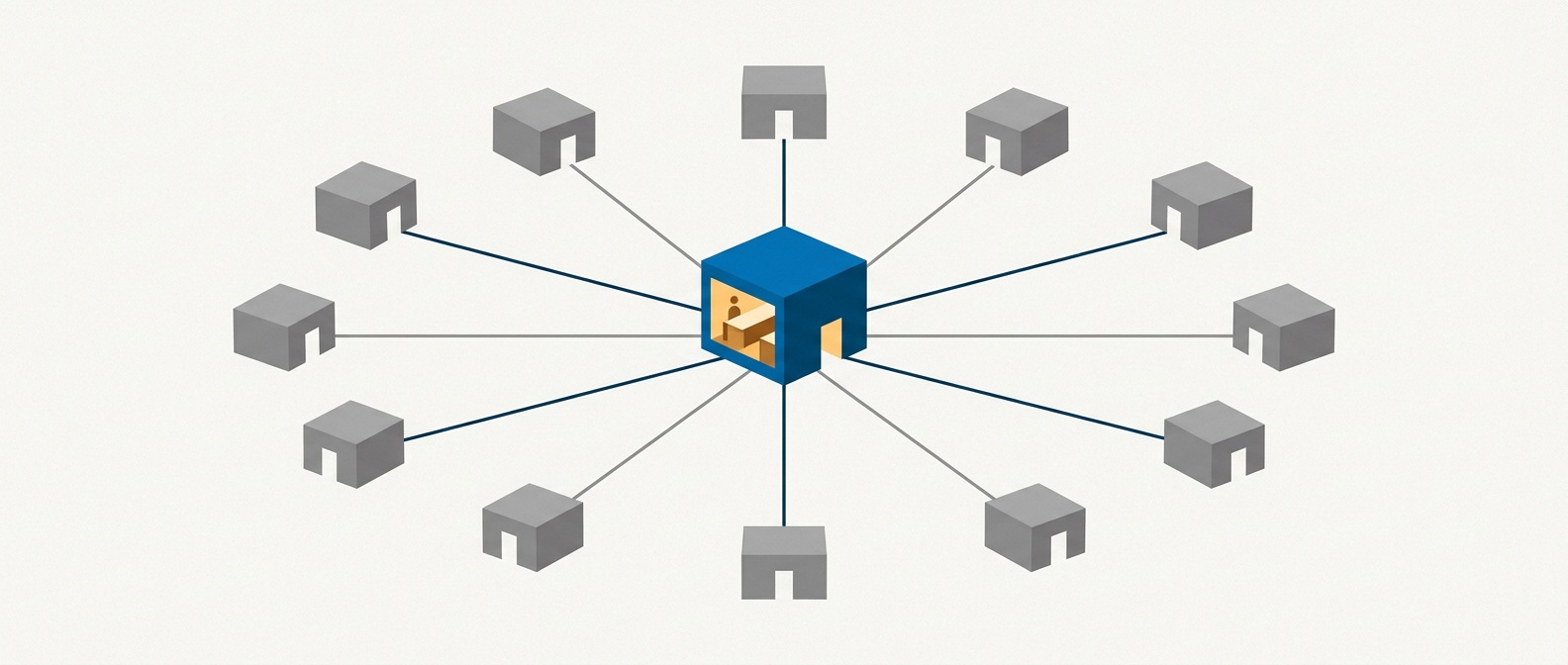
A Content Delivery Network keeps cached copies of your static assets, your images, CSS, and JavaScript, on edge servers scattered across the globe. A visitor in Jakarta pulls those files from a nearby node instead of dragging them across an ocean. It is one of the cheapest, most effective speed wins available, and for a Singapore business serving the wider region it flattens the distance problem for everything that can be cached.
Here is the catch nobody selling you a CDN leads with. Your origin server, the actual host, still does the thinking. Every uncached page, every database query, every form submission, every logged-in session runs there. WordPress is dynamic by nature: it builds pages on the fly from a database. So your host’s TTFB still governs the speed of anything a CDN cannot simply hand over from cache. A CDN in front of a slow origin server is lipstick on a slow origin server.
The setup that actually works is both: a well-located origin host, a CDN in front, and full-page caching switched on so the server rebuilds pages far less often. We run client sites on Cloudflare at the edge for exactly this reason, and it earns its place twice, once for speed and once for security, which is the next thing worth your attention.
Does Website Downtime Hurt SEO?
Short, rare outages will not sink your rankings, but frequent or prolonged downtime will, because Googlebot cannot index a site it cannot reach. Uptime is the one hosting metric where the old 2013 advice still holds, more or less unchanged.
When Googlebot arrives to crawl your site and finds it offline, it backs off and tries again later. An occasional blip is fine; Google is patient with the internet’s ordinary hiccups. A pattern of unavailability is a different matter. If your host is down often enough that crawlers keep hitting a wall, your pages get crawled less, indexed more slowly, and, if an outage runs long enough, can start dropping out of the index entirely.
The practical bar is unremarkable and most reputable hosts clear it: look for a genuine 99.9% uptime guarantee, and treat that number as the floor, not the aspiration. The visitor cost of downtime is worse than the SEO cost anyway. They go back to the search results and click your competitor. The ranking you kept is small comfort against the enquiry you lost.
Can Bad Hosting Get Your Site Hacked, and Does That Affect SEO?
Weak hosting widens your attack surface, and a hacked site is one of the fastest ways to lose search visibility overnight. This is the hosting-SEO risk that has grown most since 2013, and the one worth losing a little sleep over.

A compromised site does not just embarrass you. If Google’s systems detect malware or spammy injected content, your pages can be flagged in Search Console’s security reports and shown with a warning that stops most visitors in their tracks. Rankings you spent years building can evaporate while you scramble to clean up. We know this pattern intimately, for reasons we will not elaborate on here.
Hosting sits underneath your security posture. A host that keeps its server software patched, isolates accounts properly, and offers a server-level firewall is doing quiet work on your behalf every day. A cheap, oversold, rarely-updated server is a liability that only announces itself once it is too late. In Singapore, the Cyber Security Agency of Singapore publishes practical guidance on hardening websites, and any host worth paying should already be meeting that bar rather than leaving it to you.
Two habits sit at the boundary between hosting and hygiene, and they matter more than any plugin you can buy. Keep automated, off-server backups so a compromise is a restore, not a catastrophe. And run the leanest setup you can: every unnecessary plugin and abandoned theme is another unlocked door. The most secure component is the one you never installed.
Shared, VPS, or Dedicated: Which Hosting Is Best for SEO?
For most Singapore SMEs, quality managed hosting matters far more than the shared-versus-VPS label. The type of hosting is a weaker signal than how well that hosting is actually run.
The three classic tiers still exist. Shared hosting puts many sites on one server splitting its resources, which is cheap and fine for small, low-traffic sites, but leaves you exposed if a neighbour hogs the machine or drags down its reputation. A Virtual Private Server (VPS) gives you a guaranteed slice of resources and real control over configuration, which is where most growing business sites are comfortable. A dedicated server hands you the whole machine, which most SMEs neither need nor should pay for.
The old fear was the “bad neighbourhood”: share an IP with a spammer on cheap shared hosting and catch their penalty by association. It was a real concern in 2013 and it is largely a relic now. Google treats a shared IP address as normal, not a problem in itself, since a huge share of the web sits behind shared IPs and CDNs. If you are on decent shared hosting, this is not the thing to worry about.
What genuinely moves the needle is the managed layer. For a WordPress site, managed WordPress hosting, or a properly configured VPS on infrastructure built for the platform, gives you server-level caching, current PHP versions, sensible security defaults, and support that understands WordPress rather than reading a generic script. Pay for how well the hosting is managed, not for the size of the box. A well-run VPS will out-serve a neglected dedicated server every time.
How Do You Choose a Web Host for SEO in Singapore?
Pick a host on TTFB, uptime, security posture, and support quality, and treat price as the last filter, not the first. The decision is not difficult; it just deserves ten honest minutes rather than a reflex.
Run any candidate through a short checklist. Where are the data centres, and is one near your audience? What TTFB do real tests show; you can measure it with a free tool like GTmetrix or PageSpeed Insights from a Singapore location. Is there a real uptime guarantee? Is server software kept current, with a firewall and isolation in place? Do backups run automatically, off-server? And when something breaks at an inconvenient hour, does support actually answer?
Do your own homework beyond the sales page. Read the reviews, the praise and the complaints both, because the pattern in the one-star reviews tells you more than any feature list. Reddit communities like r/webhosting are candid about which hosts quietly degrade once you are locked in.
None of this will get your site ranking on its own. Hosting is the foundation, not the building. A fast, secure, reliable host lets your content and your links do their job without an anchor tied to their ankle. Good hosting cannot rank a weak site, but bad hosting can hold back a strong one. The goal is simply to make sure the plumbing is never the reason you lose.
If you would rather not spend your afternoons reading hosting reviews and measuring Time to First Byte, that is a large part of what we do. We build and run client sites on hardened, performance-tuned infrastructure so the hosting question stops being your problem. If your current site feels slow, or you have inherited a setup nobody can quite explain, start a conversation with us and we will take an honest look.
Frequently Asked Questions
Does web hosting affect SEO rankings?
Web hosting affects SEO indirectly, not directly. Google gives no ranking bonus for premium hosting, but poor hosting hurts rankings through slow page speed, downtime that interrupts crawling, and security weaknesses that can lead to a hacked site. Hosting is best treated as a hygiene factor: it will not win rankings for you, but bad hosting will quietly lose them.
Does server location matter for SEO in Singapore?
Server location does not work as a geotargeting signal, so hosting in Singapore will not by itself make you rank in Singapore. Google determines geographic relevance from your domain, content, hreflang tags, and Search Console settings instead. Server location still matters for speed, because a server physically closer to your Singapore audience delivers a faster Time to First Byte, which improves your Largest Contentful Paint score.
Do I need a CDN if my host is already in Singapore?
A CDN is still worth having even with local hosting, especially if you serve customers across the wider region. A CDN caches your static files on edge servers worldwide so distant visitors load images and scripts from a nearby node. It does not replace your origin server, which still generates every dynamic WordPress page, so the best setup pairs a well-configured local host with a CDN in front.
Can bad web hosting get my website hacked?
Weak hosting increases the risk of a compromise by widening your attack surface. Hosts that fail to patch server software, isolate accounts, or provide a firewall leave sites more exposed to attack. A hacked site is a serious SEO problem, because Google can flag compromised pages with security warnings that collapse your traffic until the site is cleaned and reviewed.
Is shared hosting bad for SEO?
Shared hosting is not inherently bad for SEO and is perfectly adequate for small, low-traffic sites. The old worry about sharing an IP address with spammers is largely outdated, as Google treats shared IPs as normal. The real limitation of cheap shared hosting is performance and security under load, so a growing business site usually benefits from moving to a well-managed VPS or managed WordPress hosting.