Six months ago you started the redesign. You fought for the budget, sat through the stakeholder rounds, argued about the hero image, and finally shipped it. The new site is faster, prettier, and finally on-brand.
Then the traffic left.
Not all at once. First the blog posts that used to bring in steady enquiries went quiet. Then a keyword you owned for three years dropped to page two. By the time someone asks why the enquiry form has stopped pinging, you are down a third of your organic traffic and nobody in the launch meeting can tell you which change did it.
This is the most common way a website redesign quietly destroys the SEO that took years to build. It is also almost entirely preventable. The damage comes from what the redesign forgets, not from the redesign itself, and the fix is a migration plan you write before anyone touches a template.
Why does a website redesign hurt SEO in the first place?
A redesign hurts SEO because it changes the things search engines rely on to rank you: your URLs, your site structure, your internal links, and the on-page signals attached to each page. Break those without a plan and Google has to relearn your site from scratch, and it rarely puts you back exactly where you were.
A redesign is not one change. It is dozens of them landing at once. New URL structure, new navigation, new page templates, content moved or merged or dropped, a new theme that renders headings differently. Every one of those touches something a search engine measures.
Organic search is still the largest single source of qualified traffic for most Singapore businesses we work with. When a redesign resets the signals behind that traffic, the drop is not a glitch.
The teams that come out fine treat the redesign as a migration first and a design project second. The teams that lose six months of rankings treat it as a design project and remember the migration the week before launch.
When should SEO be involved in a redesign?
SEO must be involved from the first planning meeting, before wireframes, not after launch. The cheapest time to fix a structural SEO problem is when it is still a line in a sitemap document. The most expensive time is after the new site is live and the rankings have already gone.
Most of the redesign rescues that land in our inbox share one detail: the SEO conversation started after the site shipped. Sometimes months after. By then the old URLs are gone, the redirects were never mapped, and the link equity built over years has drained into a wall of 404s.
Waiting also buries decisions that were free to make early and costly to reverse late. If a designer builds the main navigation as images, Googlebot cannot read those links, and the flow of ranking signal to your inner pages stalls. Caught at the wireframe stage, that is a five-minute conversation. Caught after launch, it is a rebuild.
There is a second reason to bring SEO in early, and it is strategic rather than technical. A redesign is the rare moment when you can fix an inherited site architecture on purpose: consolidate thin pages, retire dead ones, and shape a URL structure around how people actually search. Skip the early SEO input and you will faithfully rebuild every structural mistake the old site had, just in a nicer typeface.
What is a redirect plan, and why does the redesign live or die by it?
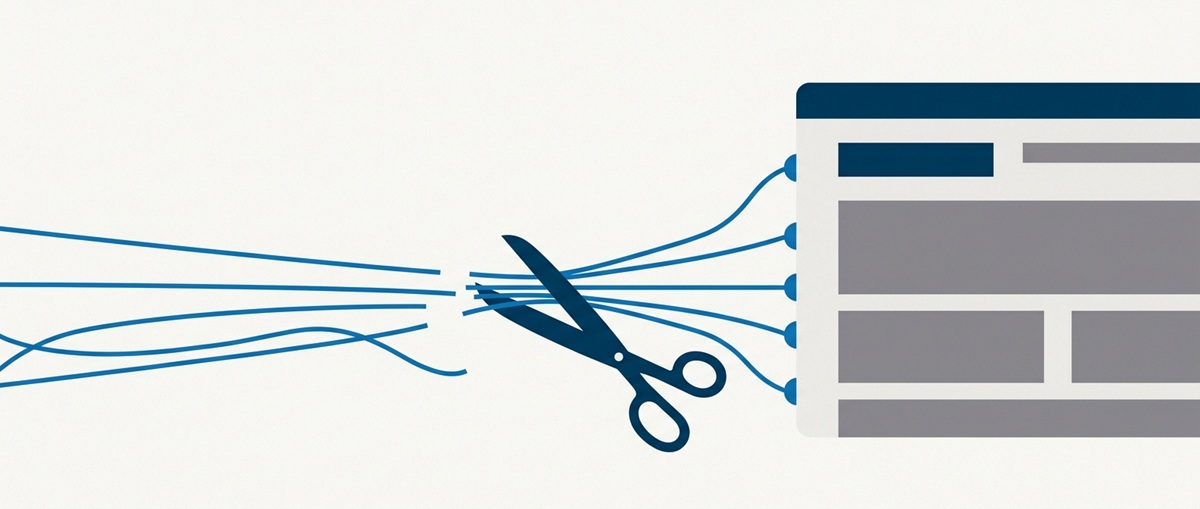
A redirect plan is a spreadsheet that maps every old URL to its new equivalent, so that when the URLs change, every visitor and every search engine following an old link lands on the right new page instead of a 404. It is the single most important SEO artefact of any migration, and the one most often skipped.
Here is what usually goes wrong. A redesign almost always produces new URLs, whether from a new CMS, a cleaner structure, or a change of domain. Links from around the web still point at the old ones. Those inbound links are a large part of why Google trusts your pages enough to rank them.
Change the URLs without redirects, and every one of those links now points at nothing.
The tool that saves you is the 301 redirect, which passes the accumulated ranking signal from the old URL to the new one. According to Google Search Central, permanent server-side redirects (301 and 308) are the recommended way to tell Google a page has moved for good. Permanent redirects do not cause a loss of PageRank, so a correctly mapped 301 carries the value of the old page across to the new one.
A few rules keep a redirect plan from doing more harm than good:
- Map to the closest equivalent, never en masse to the homepage. Redirecting a specific blog post to your homepage tells Google the content is gone and wastes the signal that page earned. Send it to the nearest matching page instead.
- Redirect in one hop. Google advises against chaining redirects; keep any chain under three hops and ideally point old straight to final. Chains add latency and leak equity.
- Use 301, not 302. A 302 is a temporary redirect. It tells Google the move is not permanent, so it may keep the old URL indexed and withhold full equity from the new one. For a redesign, the move is permanent. Say so.
- Keep the redirects live for at least a year. Google recommends maintaining them long enough for its crawlers to see the change repeatedly, and permanently where external links still point at the old URL.
One caveat worth stating plainly: a redirect plan only works if the old URLs still resolve when you build it. If a page is already dead, there is nothing to map. Pull the full list of live URLs, with their traffic and inbound links, before the old site goes anywhere.
How do you build the URL mapping without missing pages?
You build the URL mapping by crawling the entire existing site, exporting every indexed URL, and pairing each one with its destination on the new site before launch day. The goal is a complete list, because the page you forget is the page that 404s in front of a customer.

Start from data, not memory. Crawl the live site with a tool like Screaming Frog to get every URL the site actually serves. Cross-check that against the pages Google has indexed in the Search Console Pages report, and against your top organic landing pages in analytics. Any URL that appears in one source but not your mapping is a gap.
Then sort the list by value. The pages carrying the most organic traffic and the most inbound links get mapped first and checked twice. A dead 404 on your highest-traffic guide costs far more than one on a page nobody visits.
For each old URL, the decision is short. If an equivalent page exists on the new site, 301 it to that page. If the content is genuinely gone with no replacement, let it return a 410 to tell Google the removal is intentional, rather than leaving a soft 404 that lingers. If several old pages collapse into one new page, redirect them all to that single destination.
Once the URLs change, the internal links pointing at the old ones need updating too. Relying on redirects to patch your own internal links leaves mixed signals, so update navigation, buttons, and in-content links to point directly at the new addresses.
Are you actually talking to Google during the move?
Google Search Console is the direct line between your site and Google, and during a migration it is where you both submit the move and catch what is breaking. Skipping it means flying the relaunch blind and finding out about problems from a traffic chart weeks later.
A note for anyone working from an older redesign checklist: the Fetch as Google tool no longer exists. Google retired it and replaced it with the URL Inspection tool, which does the same job better. Paste in a URL, run Test Live URL to see exactly how Googlebot fetches and renders the new page, then use Request Indexing to push the change. If a redirect or a WAF rule is blocking Googlebot, the live test is where it shows up.
The steps that matter in Search Console during a redesign:
- Verify both properties. If you are moving domain, the old and new sites each need their own verified property, managed under the same Google account.
- Use the Change of Address tool for a domain move. Google’s Change of Address tool forwards your site signals from the old domain to the new one, and it checks that your 301s are in place before it accepts the request. This is essential when the domain itself changes, and does nothing useful if only the URL paths change on the same domain.
- Submit the new XML sitemap. A clean sitemap of the new URLs helps Google discover the new structure faster.
- Watch the Pages report on both sites. The old property should show URLs dropping out as redirects take hold; the new one should show them being indexed. A spike in “Not found (404)” is your early warning that the mapping missed something.
Search Console will not stop a bad migration. It will tell you a migration is going badly while there is still time to fix it, which is the next best thing.
What else breaks during a redesign that nobody checks?
Beyond URLs and redirects, a redesign routinely breaks four things: on-page signals, canonical tags, page speed, and structured data. Each is invisible on the surface, which is exactly why they survive to launch and then quietly suppress rankings.

On-page signals get flattened. A new theme often changes how headings, titles, and meta descriptions render. Page titles get templated into a single pattern, carefully written meta descriptions vanish, and an H1 you optimised becomes a decorative H2. Audit the title, meta description, and heading structure of every priority page against the old site before launch.
Canonical tags point at the wrong place. A misconfigured canonical can tell Google to ignore the page you want ranking in favour of another URL. On a fresh build, canonicals should self-reference the new URL, not accidentally point back at a staging domain or an old address. This is one of the most common and most quietly destructive redesign bugs.
Page speed regresses under the new design. Heavier hero images, extra fonts, and a stack of new plugins can push your Core Web Vitals into the red. Since these measure real loading, interaction, and visual stability, a slower “improved” site can rank worse. Test the new build on a mobile connection before you celebrate the aesthetics.
Structured data gets dropped. If the old site had schema markup driving rich results, the new templates need to carry it across. Rebuild your Organization, Article, and FAQ schema on the new site, and validate it, or you lose the rich results that were earning clicks.
Will rankings drop even if you do everything right?
Yes, a short-term dip is normal even on a well-executed migration, and if the plan was sound, rankings typically recover within a few weeks. The dip happens because Google has to recrawl every URL, follow every redirect, and re-establish where each new page belongs. That takes time, and the move completes on a per-URL basis rather than all at once.

This is the part that causes panic and bad decisions. Two weeks after launch the rankings wobble, someone declares the redesign a failure, and the team starts changing things at random, which only confuses Google further. Hold your nerve. A temporary drop after a clean migration is the system working, not the site failing.
We have redesigned our own site more than once, and it happens to us too. When the mapping is complete, the redirects are clean, and Search Console is telling a consistent story, the traffic comes back. The businesses that lose rankings permanently are almost always the ones that never had a plan, not the ones who saw a two-week dip and waited it out.
The honest caveat: recovery assumes the fundamentals were right. If the migration shipped with broken redirects, missing pages, or flattened on-page signals, no amount of patience fixes it. Waiting only helps when the plan underneath is sound.
Planning a redesign and want the rankings to survive it?
A redesign is one of the few moments where months of careful SEO can vanish in a single afternoon, and one of the few where a clear plan almost guarantees it will not. The difference is entirely in the preparation: the URL map, the redirects, the Search Console setup, and the pre-launch audit that catches the flattened title before a customer catches the 404.
At CloudRock we are often called in after the relaunch to work out where the traffic went. It is always cheaper, and considerably less stressful, to be in the room before the rebuild starts. If a redesign is on your roadmap, talk to us before you brief the designers, and we will make sure the migration is planned as carefully as the visuals.